
Honista APK Review: Features, Drawbacks & Safer Alternatives
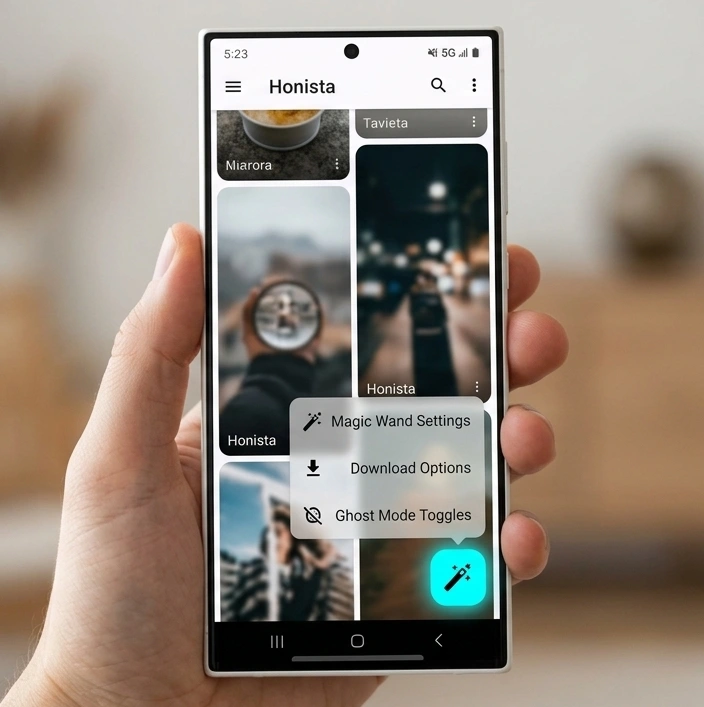
Honista APK is a modified Android client built on decompiled Instagram code that adds offline media downloaders, ghost privacy toggles, and UI theme engines. It bypasses native Instagram limits, letting users download Reels, stories, and feed images directly to phone storage without watermarks.
I put the latest Honista build through a two-week stress test on a Samsung Galaxy M34 (One UI 6.0, Android 14) and a Redmi Note 12 running HyperOS across Jio 5G and Airtel Wi-Fi networks in India. Here is an objective analysis of what operates reliably, what fails under standard use, and how the app compares to other options.
What Is Honista APK?
Honista APK is an unofficial third-party Instagram modification developed to give users granular control over media saving, timeline ads, and profile privacy. The app runs on a modified base build of Instagram, layering custom smali code over Meta’s standard layout to introduce advanced user preferences.
Technical Specification | Details |
Package Name | com.honista.android |
Architecture | arm64-v8a, armeabi-v7a |
Target SDK | 34 (Android 14 Compatible) |
Installation Type | Sideloaded APK |
Root Required | No |
The application handles media streams directly through internal download hooks rather than relying on external web-scraper APIs. When you tap to save a Reel, the client requests the source CDN file URL directly from Meta’s edge servers and routes the byte stream straight into your Android DCIM/Honista directory.
Key Features Tested on Android 14
1. Direct Media Downloader
Honista adds an inline download toolbar beneath every feed post, Reel, and Story. You can save 1080p clips, audio-only tracks, and multi-slide carousels in one tap without opening unverified third-party web tools on Chrome.
- Reels and Video Downloads: Downloads raw .mp4 video files directly at native bitrates without third-party watermarks.
- Story Saver with Audio: Extracts expiring stories with their original background music intact a significant upgrade over standard screen recording.
- Carousel Extraction: Choose between downloading an entire 10-slide album at once or picking individual images.
2. Ghost Mode Privacy Suite
The Ghost Mode privacy suite disables read receipts and live activity telemetry within the application. It modifies outgoing WebSocket packets, allowing you to view stories, open direct messages, and browse livestreams without alerting other users.
- Hide Seen Status in Direct Messages: Read incoming messages while keeping them unread for the sender.
- Anonymous Story Views: Your profile handle never appears in the publisher’s viewer list.
- Invisible in Live Streams: Join Instagram Live sessions without your username showing up in the active join log.
- Suppressed Typing Indicator: Keeps the active three-dot bubble hidden while drafting long replies.
3. Feed Sanitization and Ad-Filtering
Honista strips sponsored promotional posts, suggested account tiles, and shopping carousels out of the home timeline. This cleans up your feed and noticeably cuts mobile data consumption on daily 1.5 GB Indian cellular data plans.
4. Custom Styling and Visual Theming
Unlike the official application’s rigid light and dark options, Honista includes a specialized theme engine. You can change accent colors, pick custom hex codes, force a true AMOLED pitch-black layout to save battery on OLED screens, and apply alternative typography fonts across all interface tabs.
Technical Performance: Where Honista Falls Short
While the feature list looks impressive on paper, practical daily driving on modern Android versions exposes several performance bottlenecks and technical limitations.
Heavy RAM Footprint and Random Freezes
Because the developers layered complex theme engines and background listeners over an older Instagram base, Honista consumes upwards of 850 MB to 1.1 GB of RAM during active use. On mid-range devices like a Redmi or Realme with 6 GB of RAM, switching between Honista and WhatsApp frequently forces the app to restart from scratch.
Scoped Storage and Media Writing Errors
Android 13 and Android 14 enforce strict Scoped Storage rules. Honista occasionally gets confused by system directory URIs:
- When saving high-bitrate carousels, it sometimes throws an unhelpful “Download Failed: Error 403” or writes empty 0 KB files into local storage.
- You often have to navigate to Settings > Apps > Honista > Permissions and toggle file access permissions repeatedly to get media downloads working again.
Delayed Push Notifications
Aggressive Android battery management services (especially on Xiaomi’s HyperOS and OnePlus OxygenOS) frequently terminate Honista’s background processes. Since the app cannot utilize the Google Play Store service channels directly, expect delayed direct message alerts unless you manually set the battery profile to Unrestricted.
Honista vs Official Instagram: Core Differences
Feature / Metric | Official Instagram | Honista APK |
Download Source | Google Play Store platform | Sideloaded APK |
Direct Reel and Story Downloads | In-app bookmarks only | Native local storage downloads |
Ghost Privacy Tools | Basic Active Status toggle only | Full Stealth (Stories, DMs, Lives) |
Ad-Free Timeline | No (Full ads and shopping prompts) | Yes (Blocks sponsored content) |
Account Safety Risk | Zero (Official client) | Moderate (Third-party signatures) |
Background Memory Usage | Optimized (~400 MB) | High (~900 MB – 1.2 GB) |
Update Mechanism | Automatic background updates | Manual APK overwrites |
Is Honista Safe to Use, or Is There an Account Ban Risk?
Honista is an unauthorized third-party modification that violates Meta’s Terms of Service, meaning there is always an inherent account risk when using it. While the developers implement anti-ban spoofing scripts, Meta’s automated backend fraud detection occasionally flags abnormal API request frequencies.
If you decide to run Honista, stick to basic safety precautions:
- Never execute high-speed repetitive actions like bulk-following or mass-unfollowing within a couple of minutes.
- Keep Two-Factor Authentication (2FA) active using a standalone authenticator app like Google Authenticator rather than SMS.
- Avoid toggling unverified developer debug options tucked inside the application’s experimental menu.
Why Most Users Prefer Insta Pro Over Honista
Honista delivers decent customization, but its sluggish update cycle and heavy resource draw make it a frustrating daily driver. When Meta pushes breaking changes to its backend API, Honista users frequently deal with crashing feeds for weeks while waiting for developer patches.
For a significantly lighter, faster, and more stable experience, Insta Pro remains the go-to alternative.
Unlike Honista’s resource-intensive architecture, the Insta Pro APK focuses on rock-solid fundamentals:
- Lightweight System Engine: Uses clean, optimized code that avoids unnecessary battery drain and RAM hogging on budget and mid-range devices.
- Rapid Anti-Ban Updates: Patches release quickly whenever Meta updates its baseline server integrity checks.
- Reliable Media Downloader: Built on a stable file-writing pipeline that does not corrupt video downloads or clash with Android 14’s Scoped Storage rules.
If you want a dependable Instagram mod that will not freeze your device or break your notification tray, install Insta Pro from the main page instead of managing Honista’s technical constraints.
Managing Two Accounts? Why Insta Pro 2 Is the Smarter Route
One major hurdle with Honista is package conflict. It often clashes with existing installations, forcing you to delete your primary Instagram app or settle for unstable app-cloner utilities that fail to push real-time alerts.
[Image/Screenshot Placeholder: Android home screen showing the official Instagram icon running seamlessly next to Insta Pro 2]
If your main goal is managing a personal profile alongside a secondary creator or business handle, use Insta Pro 2.
Insta Pro 2 is compiled under a unique package identifier (com.instapro2). This design lets it install cleanly right alongside your stock Google Play Store Instagram app or base Insta Pro build. You get:
- True parallel app isolation with independent cache folders.
- Reliable simultaneous notifications for both profiles.
- Zero need for unstable system dual-messenger tools or third-party container apps like Parallel Space.
For a detailed walkthrough on setting up your second profile without package errors, follow our dedicated Insta Pro 2 installation guide.
Frequently Asked Questions
Can I run Honista on an Apple iPhone (iOS)?
No. Honista is built strictly as an Android APK package compiled for Dalvik and ART virtual environments. Any website claiming to provide an “iOS Honista IPA” or profile payload is distributing misleading installation files.
Why does Honista show "App Not Installed" during setup?
This error typically happens when there is a signature conflict with an existing mod, insufficient internal storage, or if Google Play Protect blocks the installation. Temporarily pause Play Protect in the Play Store settings and verify that your device has at least 500 MB of free storage.
Does Honista alert other users when I take a screenshot of disappearing media?
No. Honista neutralizes the client-side broadcast receivers that notify senders when a disappearing photo or video is screenshotted or saved.
How do I update Honista to the latest version?
Because it cannot communicate with the Google Play Store, you must manually track down new release packages and install the updated APK over your existing version. Make sure to back up your settings beforehand via Honista Settings > Backup & Restore.