
Instander APK Review: Features, Clone vs Unclone, and Safer Alternatives
Instander APK is an independent, modified Android client built on decompiled Instagram source files that unlocks direct media downloads, an ad-free feed, and uncompressed story uploads. It gives power users full control over their visual timeline and account privacy without relying on third-party online scrapers.
I tested the stable Instander v17.2 build alongside the v18 beta over two weeks on a Redmi Note 13 Pro (HyperOS, Android 14) and a Samsung Galaxy A34 (One UI 6.1) connected to Jio 5G and Airtel broadband networks in India. Below is a realistic technical breakdown of its actual performance, current bugs, and why an alternative client might serve you better today.
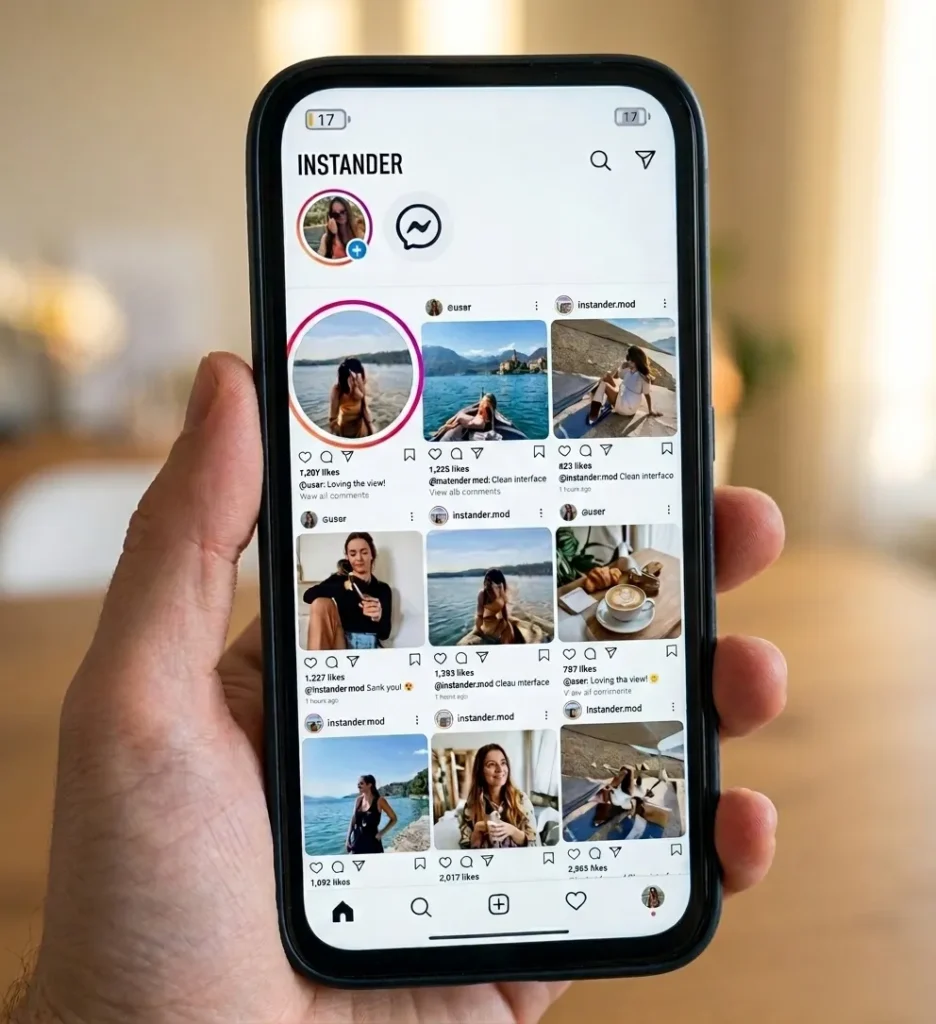
What Is Instander APK?
Instander APK is an Android modification developed by the independent programmer the_dise to override native platform restrictions on Instagram. The software injects custom smali hooks into the base application, letting you save high-resolution media and bypass client-side engagement tracking.
Technical Specification | Details |
Package Names | com.instander.android (Clone) / com.insta (Unclone) |
Supported Architectures | arm64-v8a, armeabi-v7a |
Base Target SDK | 34 (Android 14 Ready) |
Access Level | Non-Rooted Sideload |
The client communicates directly with Meta’s native edge servers. When you trigger a media download, Instander grabs the direct CDN content delivery URL from the video feed and saves the raw stream into your local Pictures/Instander folder.
Instander Clone vs Unclone: What Is the Difference?
The difference between Instander Clone and Unclone comes down to the application package identifier. The Unclone variant replaces the stock Instagram application entirely, while the Clone variant installs alongside it as an independent secondary app.
Feature Attribute | Instander Clone | Instander Unclone |
Package Name | com.instander.android | com.insta |
Requires Stock App Removal | No | Yes |
Icon Label | Instander | |
Primary Intent | Running Dual Accounts | Replacing Stock Client |
Signature Collisions: Why Installation Fails
Android uses package names and developer cryptographic keys to verify updates. Because the Unclone variant uses the default com.insta package name, Android will reject it with an “App Not Installed” prompt if you do not delete the official Google Play Store app first.
The Clone version uses com.instander.android, which bypasses this restriction entirely. However, aggressive Android 14 security profiles often flag this secondary signature, causing system permission headaches during setup.
Core Features and In-App Utilities
1. Built-in Media Downloader
Instander adds a discreet download arrow icon below every timeline post, Reel, and direct message video.
- Single-Tap Reel Saving: Captures source .mp4 video files at native server bitrates without compression artifacts.
- Audio Track Extraction: Allows users to download expiring stories while preserving the background soundtrack.
- Carousel Media Selector: Gives you a choice between saving the entire photo album or downloading single frames.
[Image/Screenshot Placeholder: Inline download button visible on an Instagram Reel with file-saving status prompts]
2. Ghost Mode Privacy Controls
The Ghost Mode privacy suite suppresses client-side activity beacons. It intercepts outgoing WebSocket signals to hide your browsing habits from other accounts.
- Disable Direct Message Seen Markers: Read incoming DMs while leaving them marked as unread on the sender’s side.
- Stealth Story Viewing: Watch stories anonymously without your username appearing in the account owner’s viewer log.
- Hidden Live Session Presence: Join public Instagram Live streams without broadcasting your handle to the chat room.
- Typing Indicator Suppression: Keeps your typing activity private while drafting replies.
3. Media Upload Quality Improvement
Meta defaults to heavy video compression on Android to minimize server load. Instander bypasses this restriction by increasing the internal bitrate limits for uploaded stories, Reels, and photos.
- High-Bitrate Stories: Eliminates pixelation on 1080p story uploads.
- 60fps Reel Playback: Retains smooth frame rates on supported clips instead of downsampling to 30fps.
4. Feed Sanitization and Navigation Tweaks
Instander strips out sponsored advertisements, shopping product tags, and suggested account modules from your main timeline. It also includes long-press profile picture zoom, in-app caption copying, and experimental gestures that let you fast-forward long video posts by sliding your thumb across the screen.
Official Instagram vs Instander APK
Operational Metric | Official Instagram App | Instander APK Client |
Download Source | Google Play Store platform | Manual APK sideloading |
Local File Saving | Internal cache only | Direct storage downloads |
Feed Cleanliness | Heavy sponsored ads | Stripped ad-free feed |
Upload Quality | Aggressive compression | Enhanced bitrate profiles |
System Memory Draw | Baseline (~380 MB RAM) | Moderate (~650 MB – 900 MB RAM) |
Update Reliability | Automatic weekly releases | Delayed community builds |
How to Install Instander APK on Android
Installing Instander requires manual sideloading since the package is not distributed through official application channels.
[Image/Screenshot Placeholder: Android Special App Access screen displaying the Install Unknown Apps permission toggle]
- Open your device Settings, navigate to Apps, and tap Special App Access.
- Select Install Unknown Apps, locate your web browser, and toggle the permission on.
- If installing the Unclone variant, uninstall the official Instagram application from your phone first. If using the Clone variant, you can keep the stock app installed.
- Launch your downloaded .apk file through your Android File Manager and confirm the installation prompt.
- If Google Play Protect flags the package signature, tap More Details and select Install Anyway.
Technical Limitations: Why Instander Is Falling Behind
While Instander was once the undisputed standard for Instagram modifications, development has slowed significantly over the past two years.
The Stalled v18 Beta Problem
The long-awaited Instander v18 build was meant to rewrite the app from the ground up, but it remains trapped in an unstable beta state. Users testing v18 report constant app crashes on launch, non-functional download buttons, and broken direct messaging hooks on Android 14.
Missing Notifications and Background Sleep
On modern Chinese custom skins like Xiaomi’s HyperOS, Realme UI, and OnePlus OxygenOS, Instander’s push service frequently stops running in the background. Because it does not link with Google Play services properly, direct message notifications are frequently delayed by hours unless the app is kept open.
[Image/Screenshot Placeholder: Android app info panel highlighting battery consumption and background process restrictions]
Delayed Anti-Ban Patches
Meta frequently updates its backend API verification checks. Because Instander’s base version is updated infrequently, using it today carries a higher probability of automated security challenges, temporary shadowbans, or mandatory password resets.
Is Instander Safe to Use on Your Personal Account?
Instander is an unauthorized modification that runs counter to Meta’s Terms of Service. While the developer has integrated anti-flagging measures, running an outdated modded client on an active account carries real platform risks.
To protect your profile:
- Never utilize automated bulk actions, such as rapid following or mass liking across multiple feeds.
- Maintain active Two-Factor Authentication (2FA) via a hardware key or a standalone tool like Google Authenticator.
- Avoid logging in across public, unsecured Wi-Fi networks without an encrypted connection.
Instander vs Insta Pro: Why Most Users Made the Switch
Because Instander’s update frequency has slowed down, most power users have migrated their primary accounts over to Insta Pro.
Where Instander v18 struggles with crash loops, the Insta Pro APK provides a stable, modern base that updates regularly alongside Meta’s server changes.
The operational advantages of Insta Pro include:
- Active Update Pipeline: Security patches release quickly, ensuring your account bypasses new bot-detection checkpoints.
- Optimized Resource Footprint: The application engine avoids the heavy battery drain and memory bottlenecks typical of older mods.
- Consistent Downloader Engine: Saves high-resolution Reels and audio directly without random write errors or Scoped Storage crashes.
If you are looking for an everyday Instagram mod that will not crash on modern Android devices, download Insta Pro from the main page instead of wrestling with unpatched Instander beta releases.
Running Dual Accounts? Why Insta Pro 2 Is the Smarter Route
If you were considering the Instander Clone package specifically to run two profiles on one device, you are likely to encounter broken notification pipelines and package conflicts on newer Android builds.
[Image/Screenshot Placeholder: Android multitasking view showing Insta Pro 2 running simultaneously next to a primary account]
The cleaner, hassle-free route for dual profiles is Insta Pro 2.
Engineered under the dedicated com.instapro2 package identifier, Insta Pro 2 installs alongside your primary Instagram app without overwriting application data or triggering system signature clashes. You get:
- Independent cache management so your personal and work profiles remain isolated.
- Reliable direct message push alerts on both profiles.
- Zero dependence on unstable third-party application cloner tools like Parallel Space.
For a detailed step-by-step setup, read our complete Insta Pro 2 installation guide.
Frequently Asked Questions
Can I install Instander on an iPhone (iOS)?
No. Instander is compiled exclusively as an Android Dalvik executable package (.apk). Any platform claiming to offer an iOS IPA file of Instander is hosting fraudulent software.
Why do I see the "App Not Installed" error with Instander?
This error usually happens when you try to install the Instander Unclone variant without deleting the official Instagram app first. It can also occur if your phone lacks at least 500 MB of free storage.
Does Instander let me view private account posts?
No. Instander cannot bypass server-side account privacy rules. If an account is set to private, you must still follow the user and be approved to see their content.
Is the Instander developer still updating the app?
Public development updates have become irregular. While beta versions occasionally surface on community channels, they lack the polish and stability of actively maintained alternatives.
Final Verdict
Instander established the baseline for Instagram modding with its clean interface and strong media download utilities. However, slow update releases, lingering v18 beta crashes, and missing notifications make it difficult to recommend as a dependable daily client in 2026.
If you want a modern, stable alternative that works reliably on Android 14, switch to Insta Pro for your primary setup, or run Insta Pro 2 for smooth dual-account management.